Entry & review
Record in your own words.
Enter onset, body area, symptom type, intensity, duration, and notes. Check your details before saving.
Yamma · Product
Yamma is an Android app in development for keeping symptom details together and carrying them into your next medical visit.
Our first focus: Korean-speaking adults preparing for a follow-up visit.
Android prototype
These three foundations are implemented. The app is not publicly released.
Entry & review
Enter onset, body area, symptom type, intensity, duration, and notes. Check your details before saving.
On-device storage
Symptom records are saved in an encrypted database on the device.
Diary
Review entries by recording date and body area, with the highest recorded intensity for each date, area, and symptom type.
The symptom’s onset date and the date you wrote the record remain separate. Yamma organizes personal records; it does not provide diagnoses or prescriptions.
The 72-second walkthrough presents six UI design concepts. It illustrates the product we plan to build; it is not a recording of the running app.
Yamma is an Android health-record prototype in development. Today: manual symptom entry, encrypted storage, and a local diary.
Start with a headache record: intensity 4/10, onset October 9. The entry is dated October 10. Keep the record or choose care guidance.
Review follow-up questions. Choose a department and location. Search waits for required choices. Urgency has not been assessed.
Bring the same symptom record into a summary for a visit. Onset anchors the timeline. Missing history stays marked as missing.
Compare each prescription field with the original document. Review is still required here. Saving waits for user confirmation.
After prescription review and saving, confirm the daily medication schedule. 08:00 and 20:00 are separate events. Neither has an intake record yet.
See symptom entries and medication schedules on the same day. Markers show records and schedules. They do not mark doses as taken.
One connected design for records, visit preparation, and daily follow-up. These screens show the planned UI. This is a design walkthrough, not a live app.
Planned product design These images show the intended before, during, and after-visit experience. Open any screen to see it at full size.
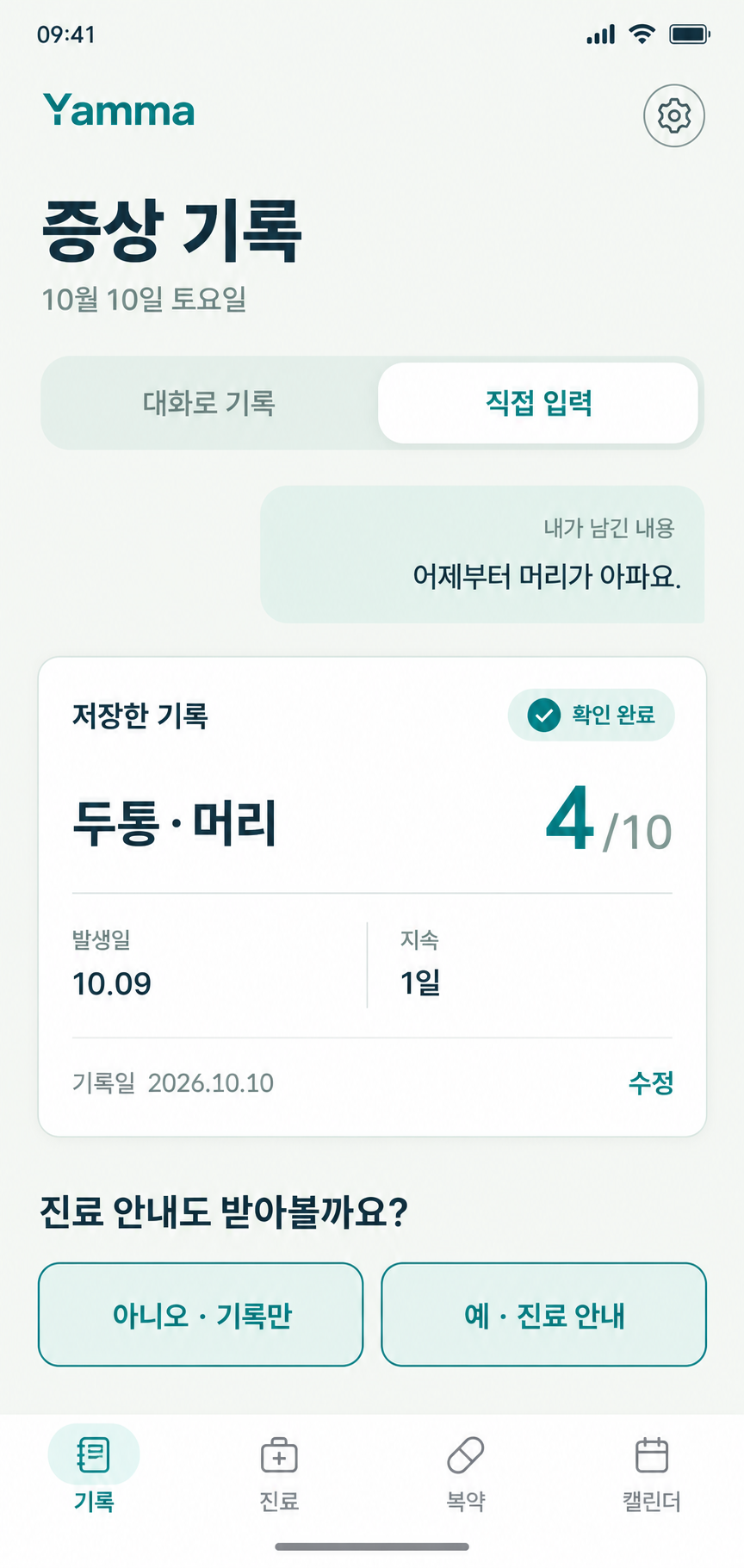
Confirm symptom details and decide whether to keep a record or continue to care navigation.
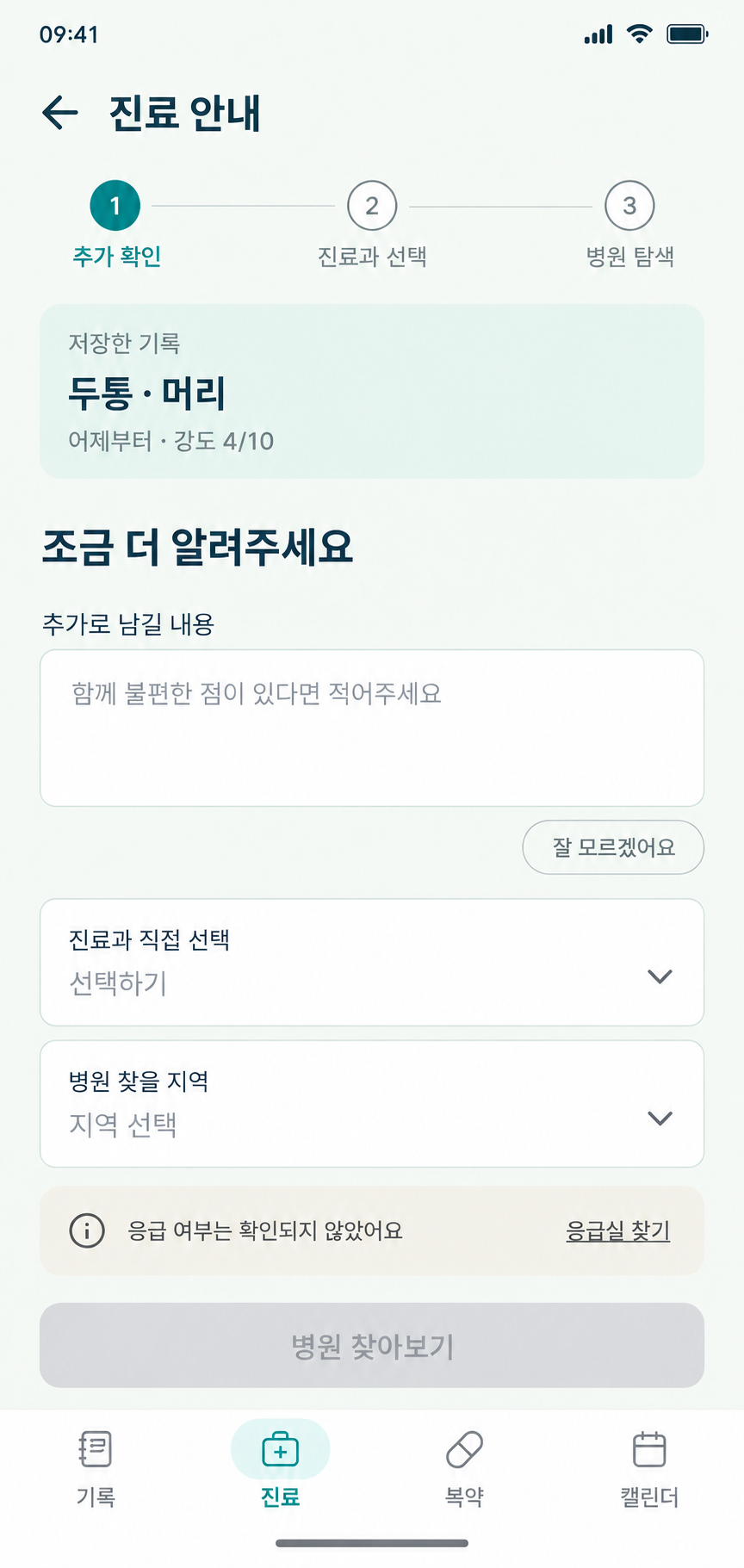
Add context, choose a department and area, and explore the planned care-navigation flow.
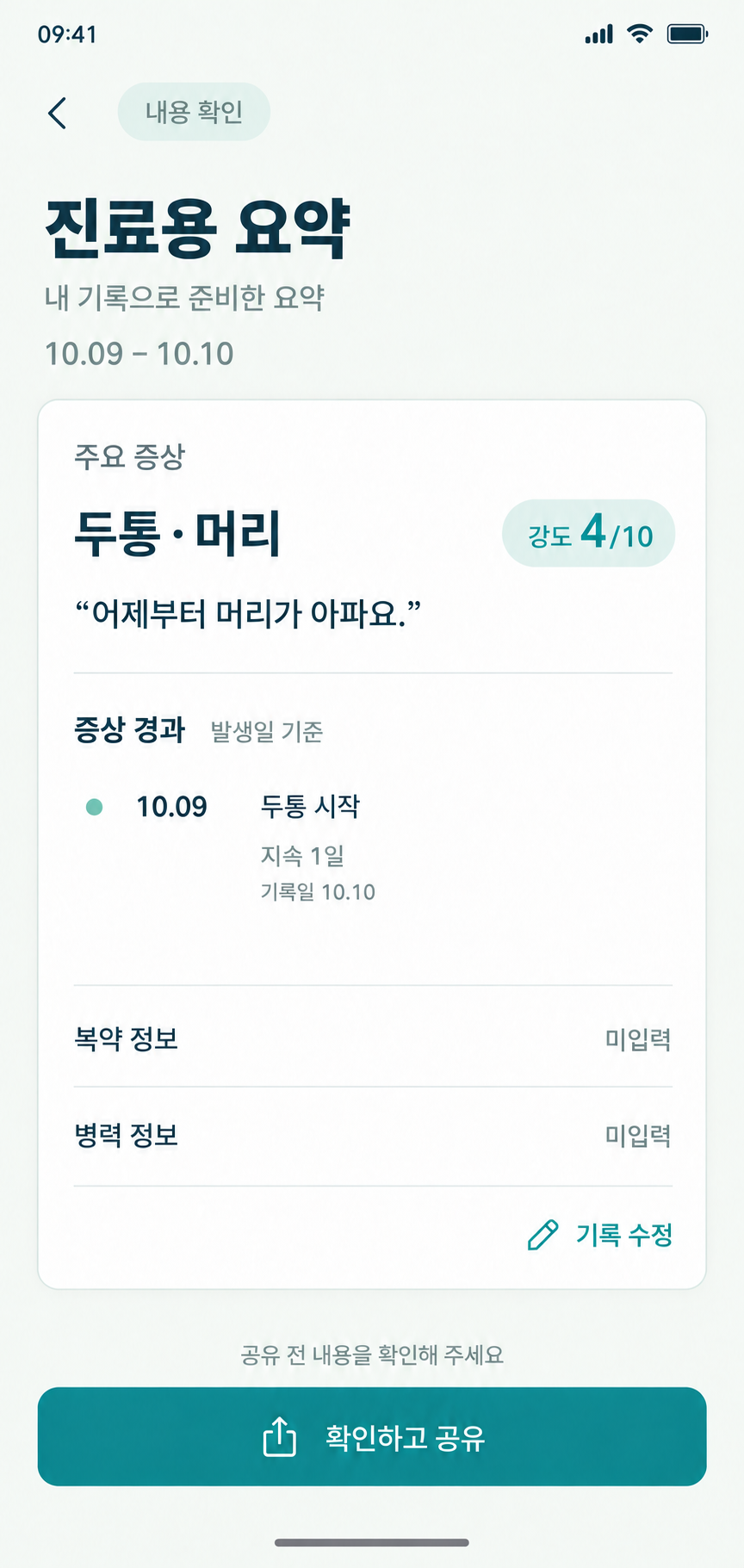
Review a symptom-onset timeline and supplied facts. Unentered medication and history details stay unknown.
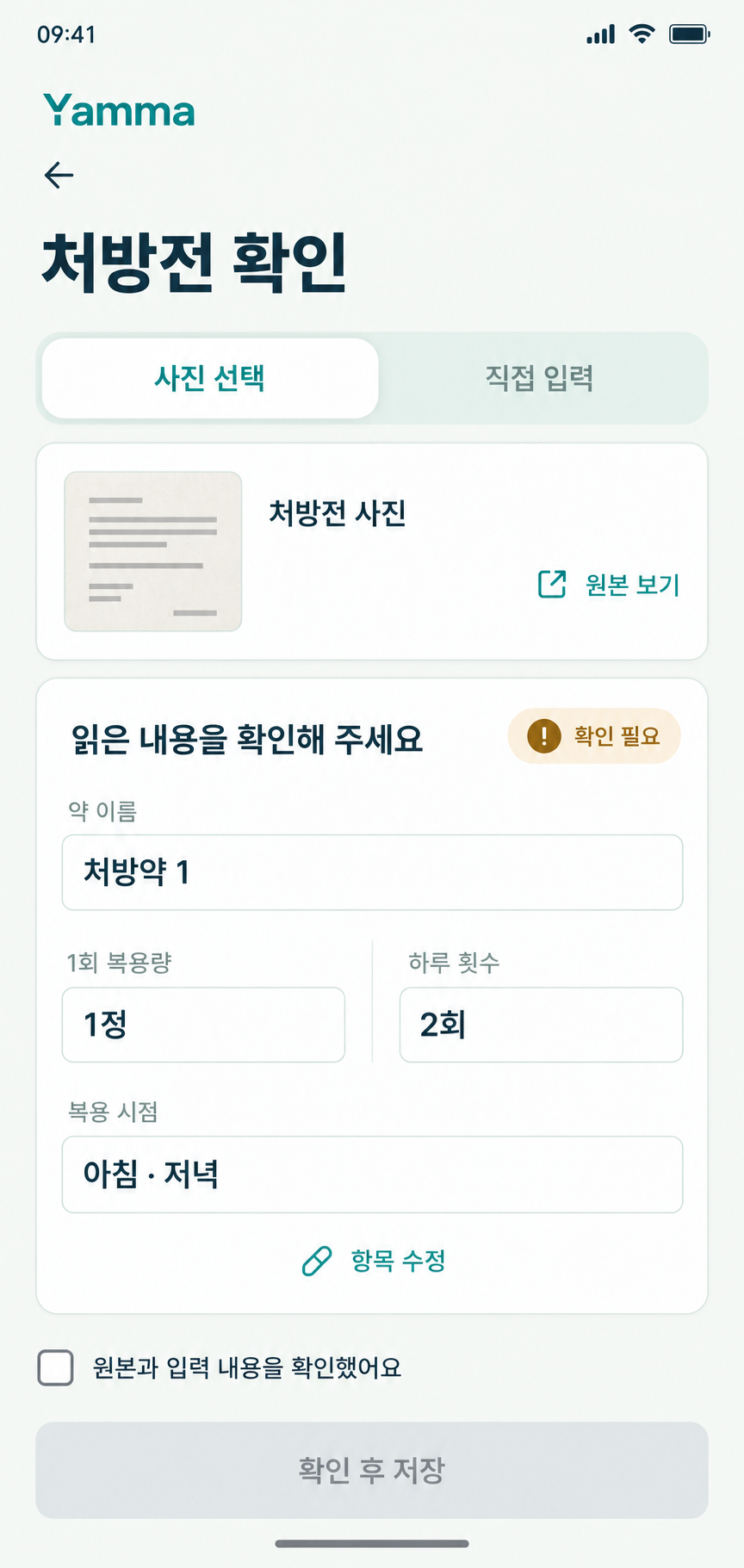
Compare extracted details with the original and confirm them before saving. The concept shows an unconfirmed record.
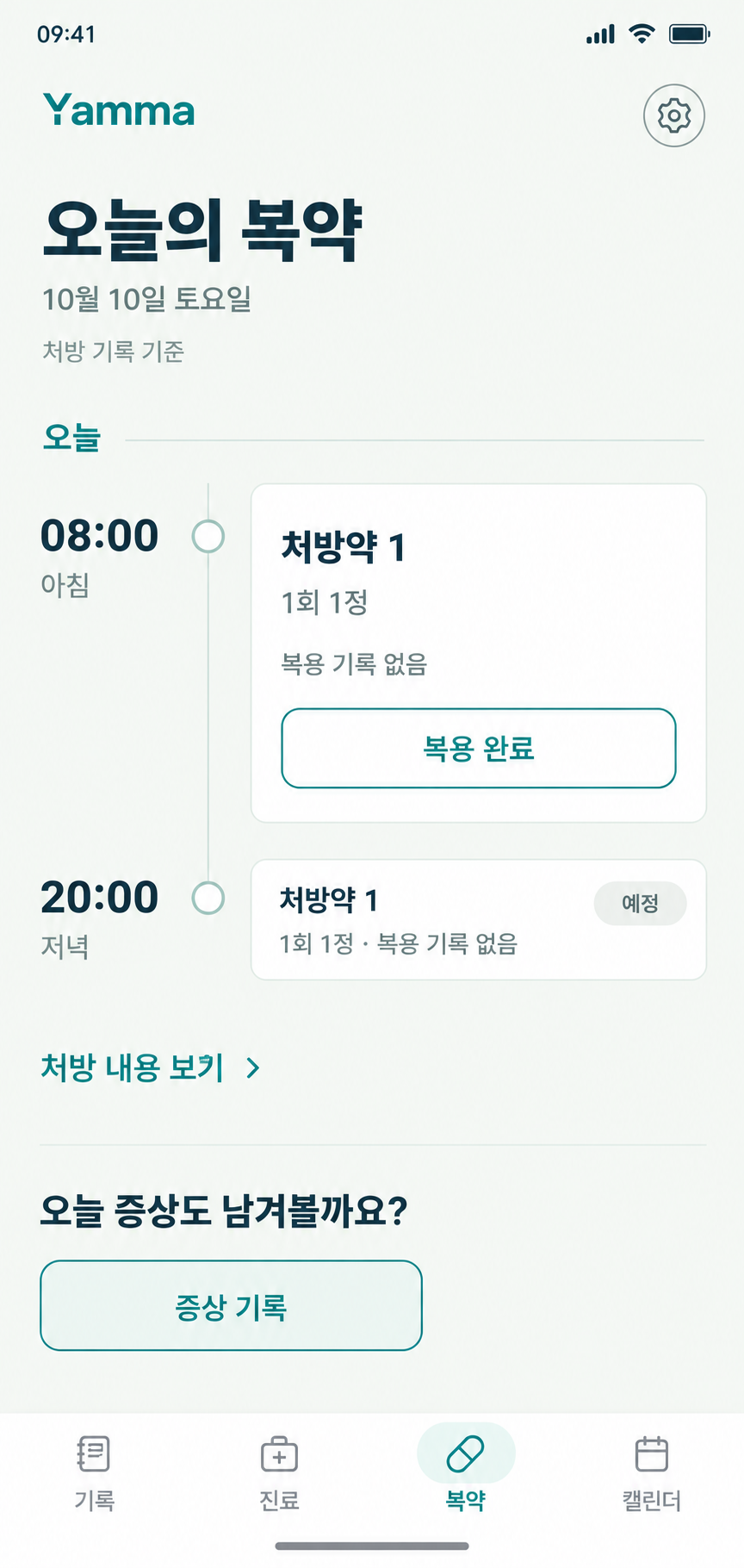
Use a reviewed prescription record to see a schedule and record actual intake. Scheduled doses are not completed doses.
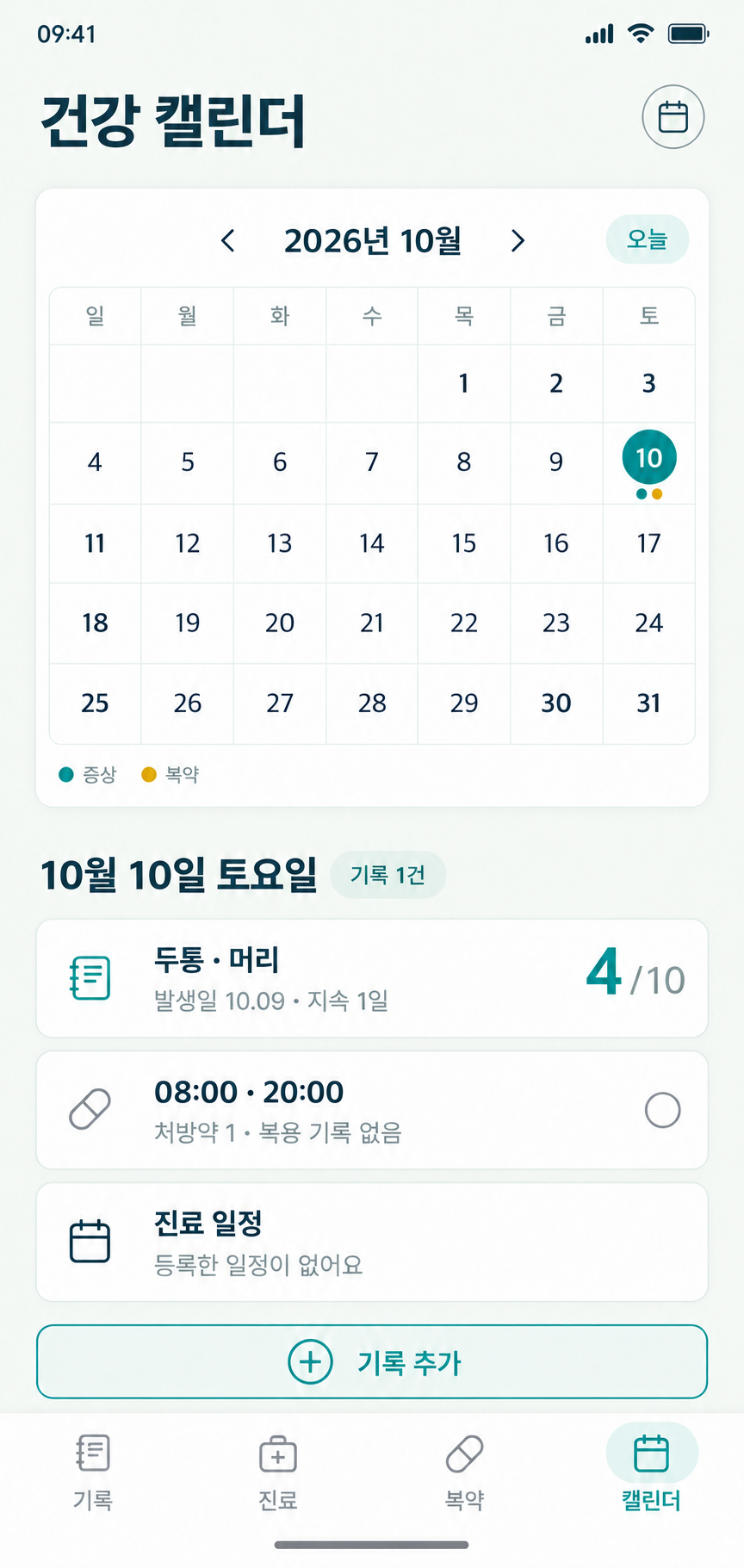
Bring symptom records, medication schedules and visit dates into one view. Calendar marks indicate records or schedules.
The app is still in development. The blank preparation sheet is available now, with space for symptoms, medicines, allergies and questions.